Category: Workflow

19 posts

Standard

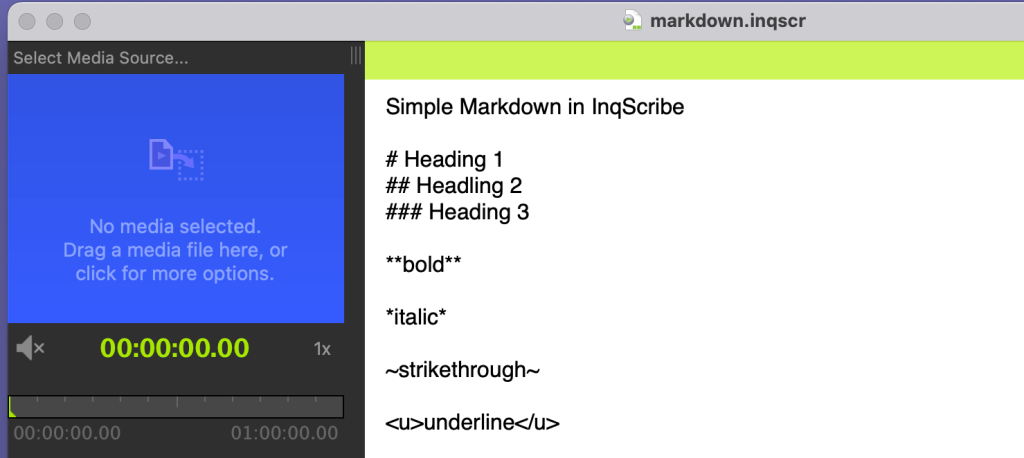
Styling Text with Markdown

One of our most requested features is text styling. Transcription services sometimes require formatting. Researchers find it helpful to use styles for coding. Writers find it useful for expression. While we have long considered adding support for text styling, we decided to keep InqScribe documents simple for a number of reasons, including performance, simplicity of…

Read more
Standard

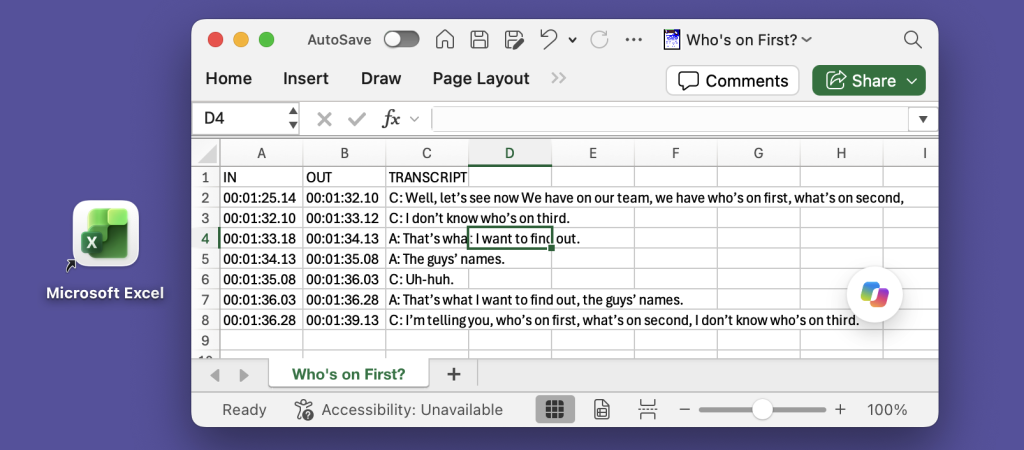
Exporting Captions to Excel

Many of our customers need to export transcripts in a structured format, with separate columns for “In” and “Out” points and speaker names. This is particularly useful for captions, especially for broadcast. One common workflow is to export an Excel spreadsheet, where each line effectively becomes a record. For example: InqScribe’s free-form edit field provides…

Read more
Standard

Guest Blog: Transcribing Spider Monkeys

Did you know you can use InqScribe to transcribe just about any language? Yes, even the language of spider monkeys. By: Sandra E. Smith Aguilar, PhD student at the Interdisciplinary Research Center for Regional Development (CIIDIR) Campus Oaxaca, of the National Polytechnic Institute (IPN) in Mexico. My research focuses on understanding the relationship between spider…

Read more
Dalit Women Fight Standard

Guest Blog: Global Collaboration Made Easy for Dalit Women Fight

The Dalit Women Fight crew uses InqScribe to translate footage for their feature-length documentary. Read about their work, and how InqScribe helps them cross language barriers. By: Thenmozhi Soundararajan, Director of Dalit Women Fight #Dalitwomenfight! Dalit Women Fight is a transmedia documentary that looks at the issue behind the rape epidemic in India: caste-based sexual violence.…

Read more

Creating a Transcript with InqScribe and Dragon NaturallySpeaking

Update: In addition to using Dragon as described below, you can now use Apple’s Dictation feature with the InqScribe 2.5 Beta. More information here (sorry, macOS only!). — When we’re asked about speech recognition software, it’s often from new users hoping to automate their transcription process. Although InqScribe doesn’t include any speech recognition technology, you can…

Read more

Guest Blog: Using InqScribe to Record the Wabanaki Experience

Many nonprofits use InqScribe to help transcribe interviews and spread their message. In this guest blog, Rachel George explains how she came across InqScribe through her work with the Maine Wabanaki-State Child Welfare TRC. By: Rachel George, Research Coordinator The Maine Wabanaki-State Child Welfare Truth and Reconciliation Commission is charged with clarifying the experiences of Wabanaki…

Read more

Guest blog: A Filmmaker Uses InqScribe for Translations and Subtitles

InqScribe is popular among filmmakers for a variety of reasons. In our latest guest blog, Scott Squire shares his workflow to translate and create subtitles for his documentary. by Scott Squire, Independent Producer & InqScribe user Our movie, The Girl Who Knew Too Much is a feature documentary about women’s empowerment, the complexities of globalization and…

Read more

InqScribe Tips: Format Transcripts as Tables

We often get inquiries from our users about how to format text as tables in InqScribe. Because InqScribe’s transcript window is “plain text,” it does not support tables. However, we can suggest these methods for converting InqScribe transcripts into table format. Many of our users use the Tab key to delineate columns and the Return…

Read more