Standard

Exporting Captions to Excel

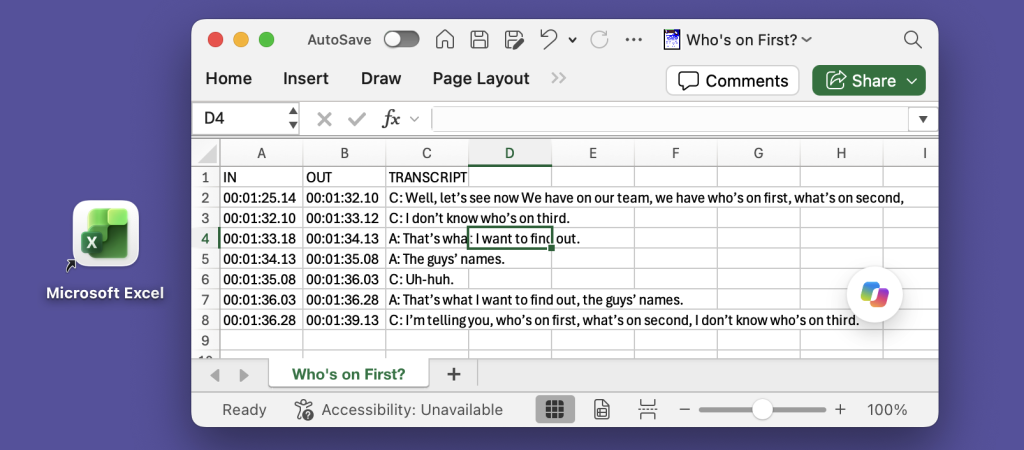
Many of our customers need to export transcripts in a structured format, with separate columns for “In” and “Out” points and speaker names. This is particularly useful for captions, especially for broadcast. One common workflow is to export an Excel spreadsheet, where each line effectively becomes a record. For example: InqScribe’s free-form edit field provides…


Read more
Standard

Support for macOS 27 Golden Gate

Yes, InqScribe supports macOS 27 aka “Golden Gate”. The main updates to macOS 27 are the user interface and Apple Intelligence, specifically Siri AI. You’ll see some refinement of the user interface, especially for windows. But these changes are relatively minor. InqScribe uses Whisper as our AI model, which is a completely separate AI model…

Read more
Standard

Why Does InqScribe Offer a 10-Day License?

We think InqScribe is a pretty good deal at $79 for a perpetual license. But that assumes you’re going to use it regularly, or at least that you expect to come back to it over time. Sometimes, that’s not the case. Maybe you have a short-term project, a stack of interviews to transcribe, or a…

Read more

Heading Back to School? You May Already Qualify for an InqScribe Discount

A new school year often means new classes, new research projects, and—if you work with recorded interviews, lectures, fieldwork, or other audio and video—a renewed need for transcription tools. Before you purchase InqScribe 3 at the regular price, it’s worth taking a look at the discounts and purchasing options that may already be available to…

Read more
Standard

Introducing InqScribe 3: The Video Annotation Tool You Love, Now with Privacy-First AI Transcription

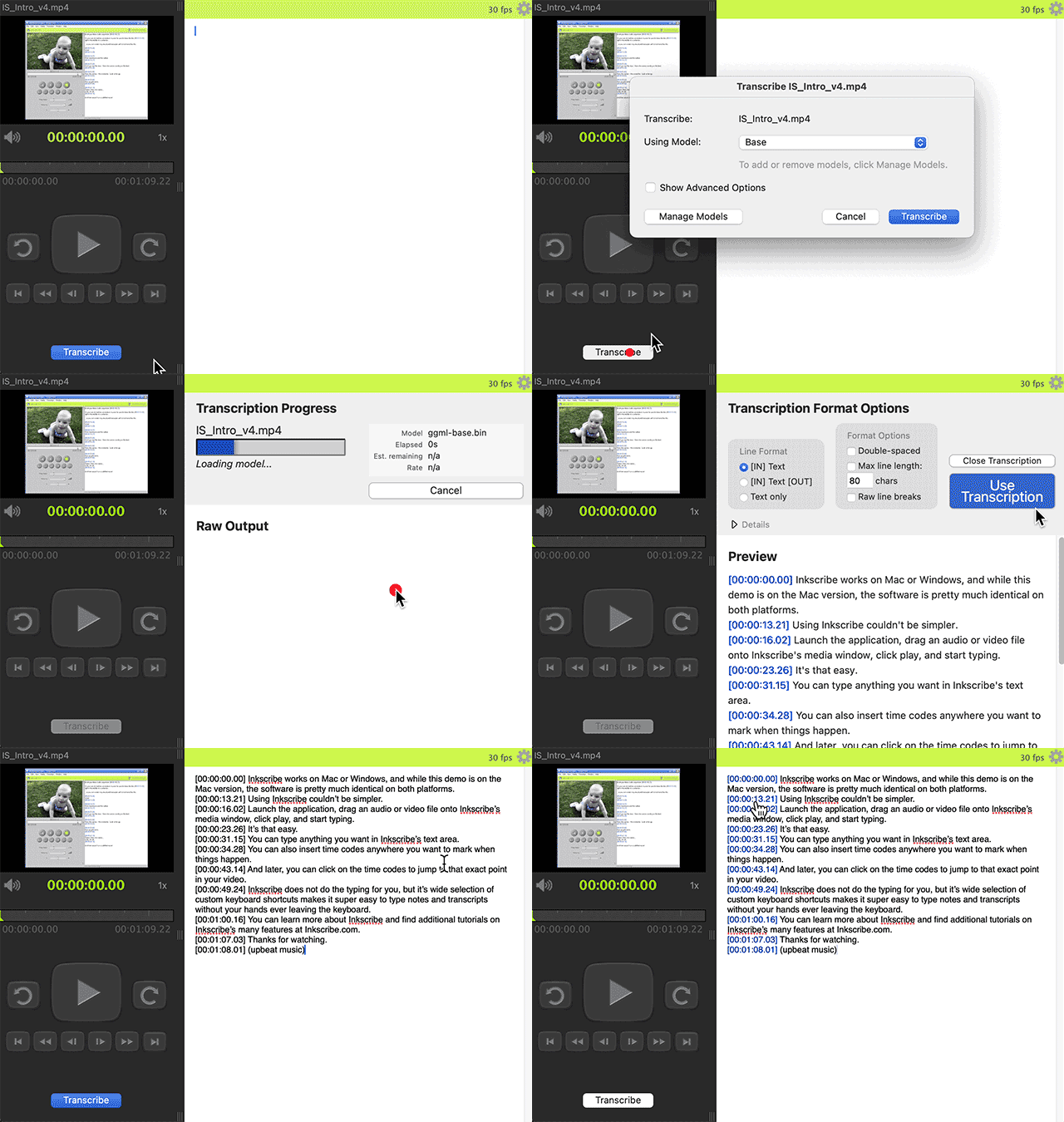
For more than two decades, researchers, filmmakers, journalists, and transcriptionists have relied on InqScribe to take notes, log footage, and create transcripts by hand—quickly and accurately. With InqScribe 3, we’re keeping everything people already love about InqScribe… and adding something big: Automatic AI transcription, performed privately on your computer. So whether you’re discovering InqScribe for…

Read more

InqScribe was built for Qualitative Research

InqScribe is pleased to sponsor the 2026 WCQR – World Conference on Qualitative Research. We originally built InqScribe to help with our own qualitative research projects, so the needs and workflows of researchers are baked into our design. The core idea is simple: a text-first editor with a built-in media player. As you type free-form…

Read more

InqScribe 2.6.2

A new version InqScribe is out, with some important updates. We’ve fixed issues with undo support in the Windows version, and addressed a few kinks with timecode coloring, exports of unbracketed time codes, and insertions of adjacent timecodes. Portrait-oriented videos now display better on Macs, and submitted bug reports may now contain additional system and…

Read more

InqScribe 2.6.1

We’ve released an InqScribe update with some important fixes. If you tried our recent v2.6 release, you’ll want the version 2.6.1 update, which irons out some issues with Foot Pedals and other USB devices, provides better transcript performance with multiple keyboard languages, and improves error handling related to shortcuts and media incompatibility. Check out the…

Read more